Labmin VET Portal
From lab results to signed veterinary reports, in one place.
The VET Portal connects veterinarians directly to the lab. Vets review released results, record their interpretations, follow trends across farms and flocks, and send signed reports to their clients. The lab and the vet work from the same live data.
What the VET Portal does
Vets review released results, record interpretations, follow trends across farms and flocks, and dispatch digitally signed reports.
Work queue
Every work order assigned to you and your practice, with its progress and status.
Review tree
Move through a work order test by test and job by job.
Rich result views
Lab result tables, titre and S/P ratio graphs, worksheet plate layouts and zone tables.
Statistics
Mean, CV %, geometric mean and VI, calculated the same way the lab reports them.
Interpretations
Predefined remarks or your own, Quick Interpret for routine results, and bulk remarks.
Signed reports
Preliminary or Final Veterinary Reports as digitally signed PDFs.
Dispatch and email history
Send reports to the client, the site and yourself, with a record of every email.
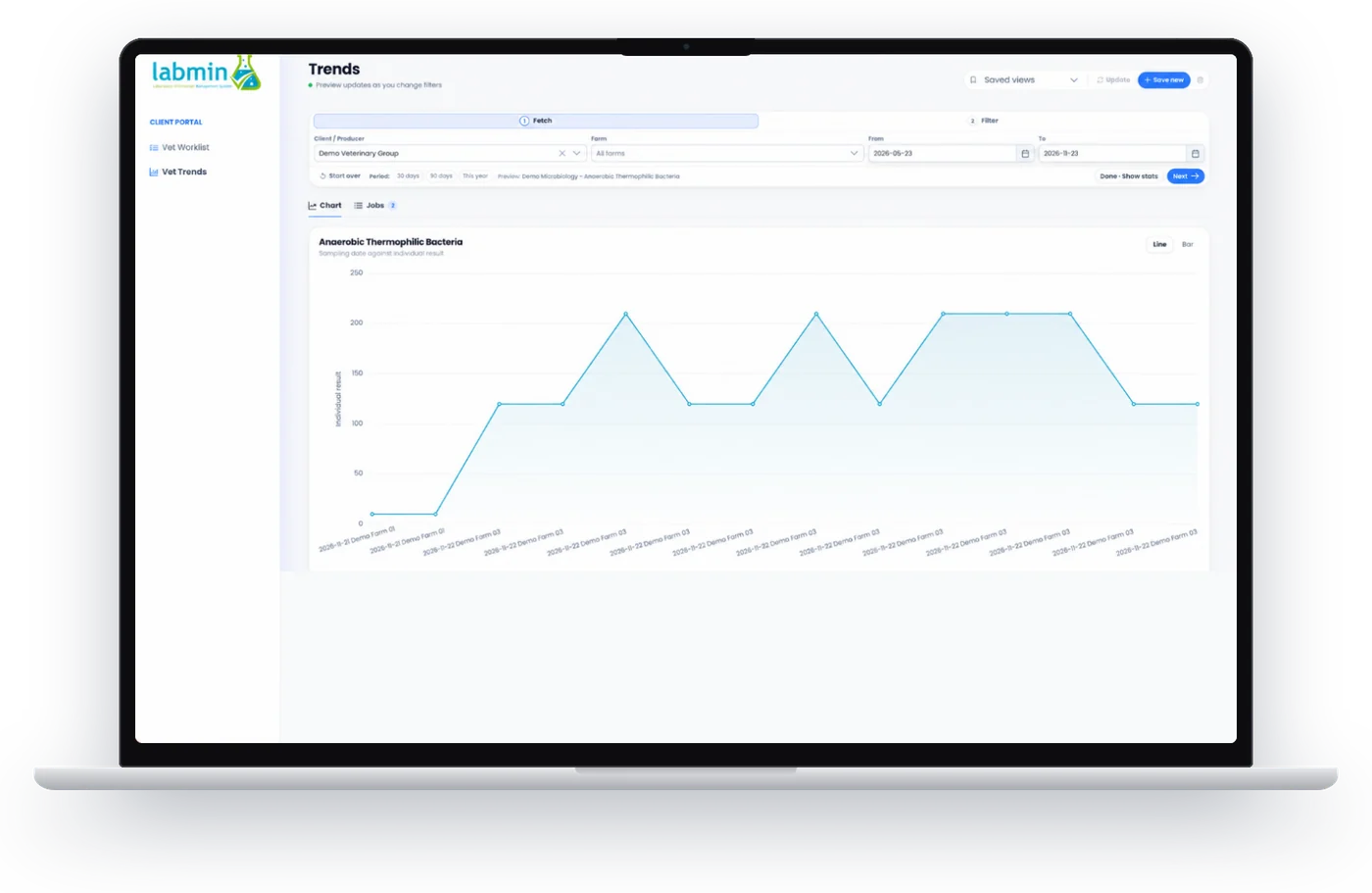
Trends
Chart released results across clients, farms, flocks, houses and tests.
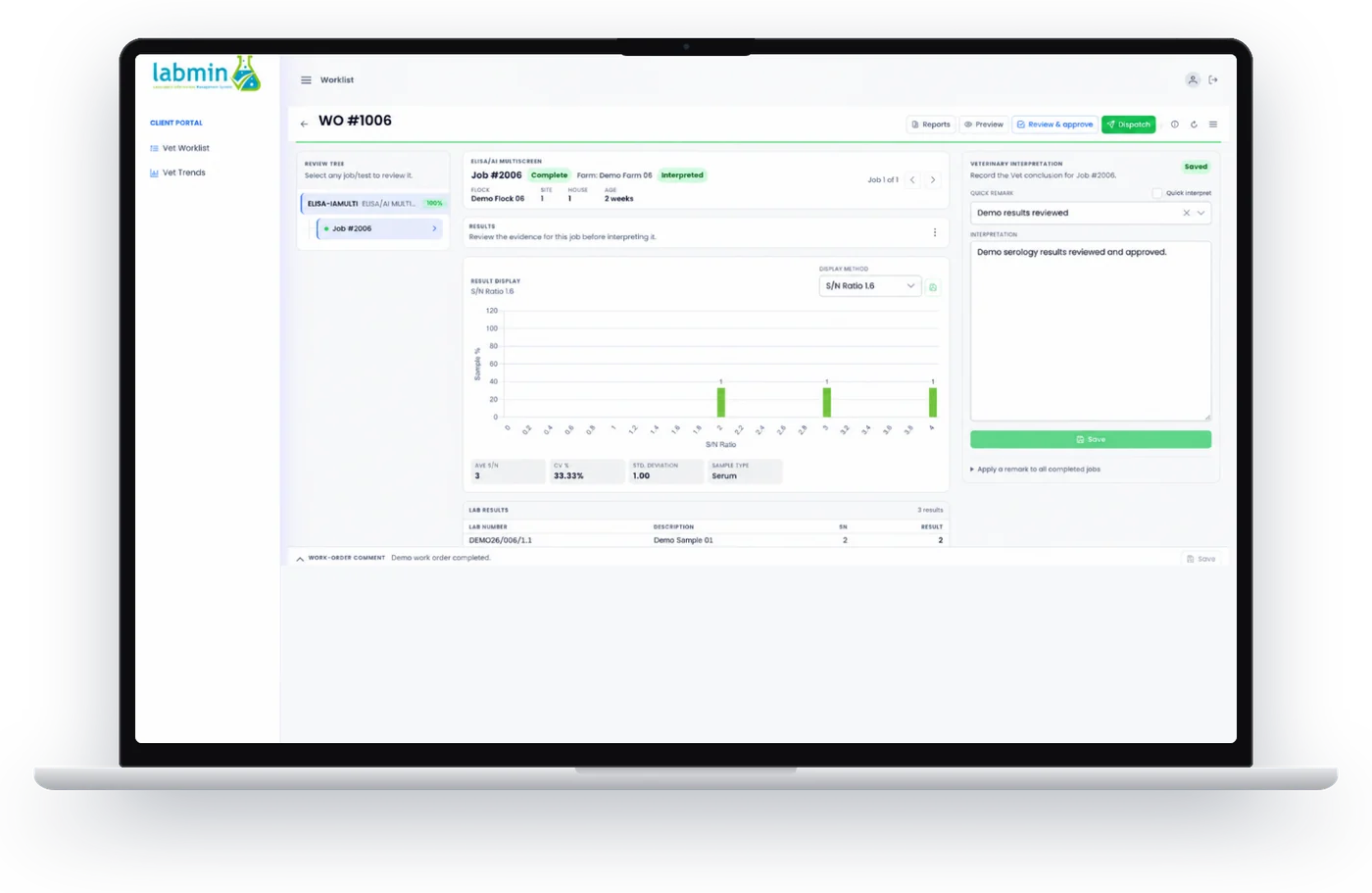
Your work queue, at a glance
The dashboard opens on every work order assigned to you and your practice. Tabs show what is new, what the lab has certified and is ready for your review, what is waiting for dispatch, what is on hold and what is complete.
- Search and filter work orders
- A progress bar on every work order
Review results and record interpretations
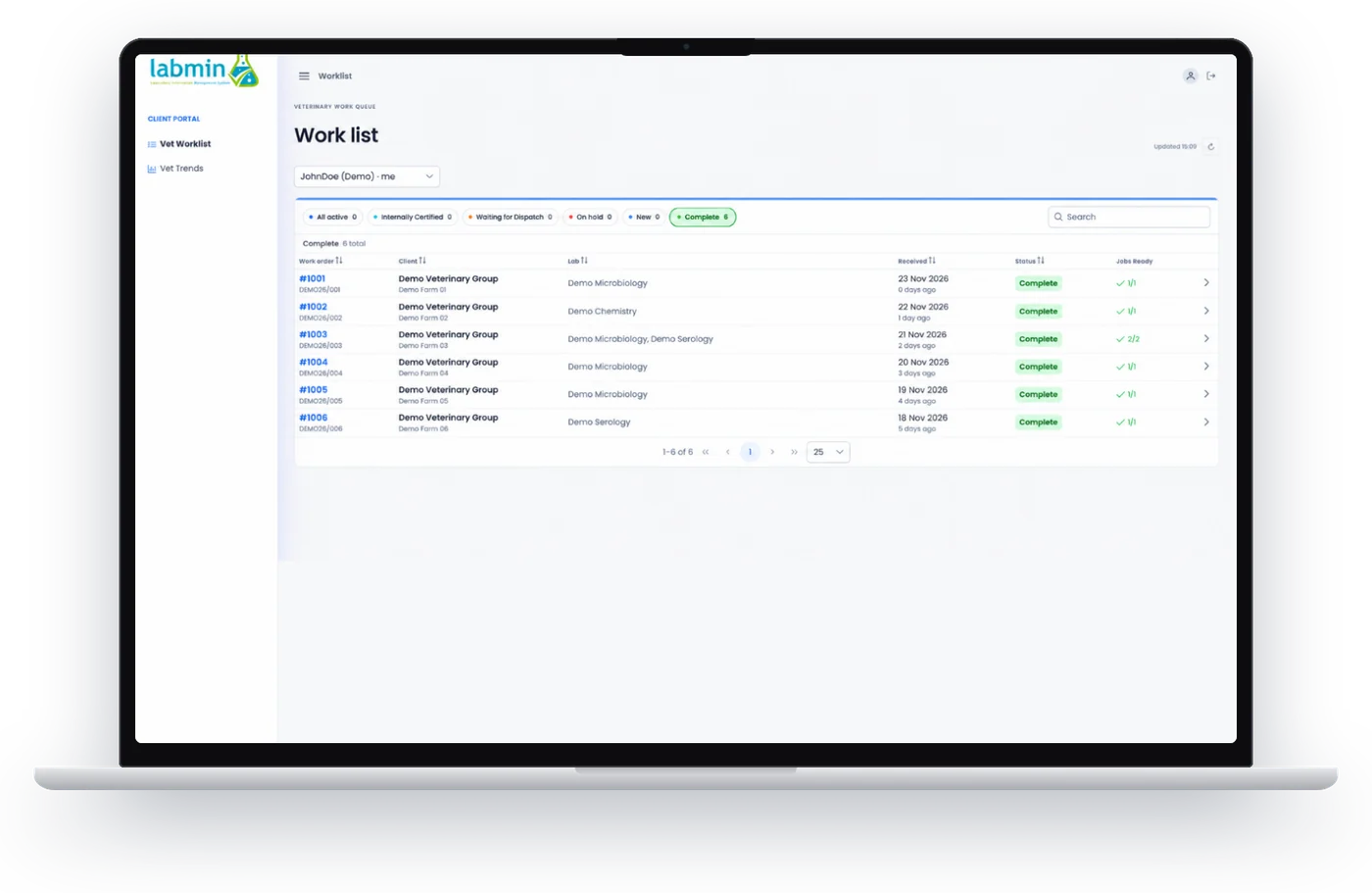
Open a work order to see its jobs and tests in a review tree. The interpretation panel sits beside the results: choose a remark from the library or write your own, use Quick Interpret for routine results, and Save & Next to move on. When every job has an interpretation, the work order moves to Waiting for Dispatch automatically.
- Titre and S/P ratio graphs, plate layouts and zone tables
- Mean, CV %, geometric mean and VI
- Read the lab's comments and add your own
Approve and dispatch
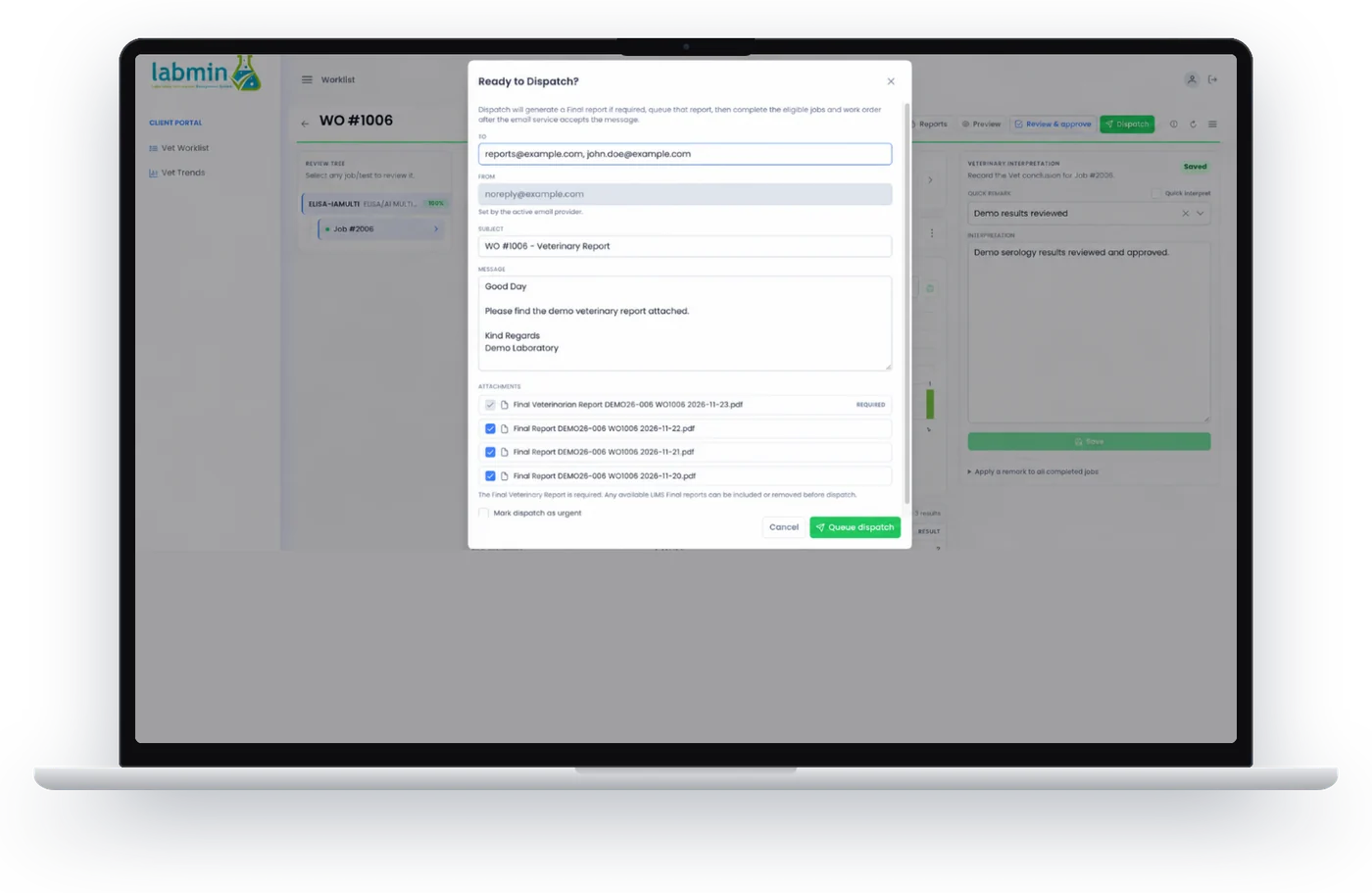
Preview the report exactly as your client will see it, then generate a digitally signed Preliminary or Final Veterinary Report. Dispatch sends it, with any LIMS final reports you choose, to the client, the site and yourself. Once the email is accepted, the jobs and work order move to Complete.
- Email history: who received what, and when
- Put a work order on hold and release it later
Trends for flock health
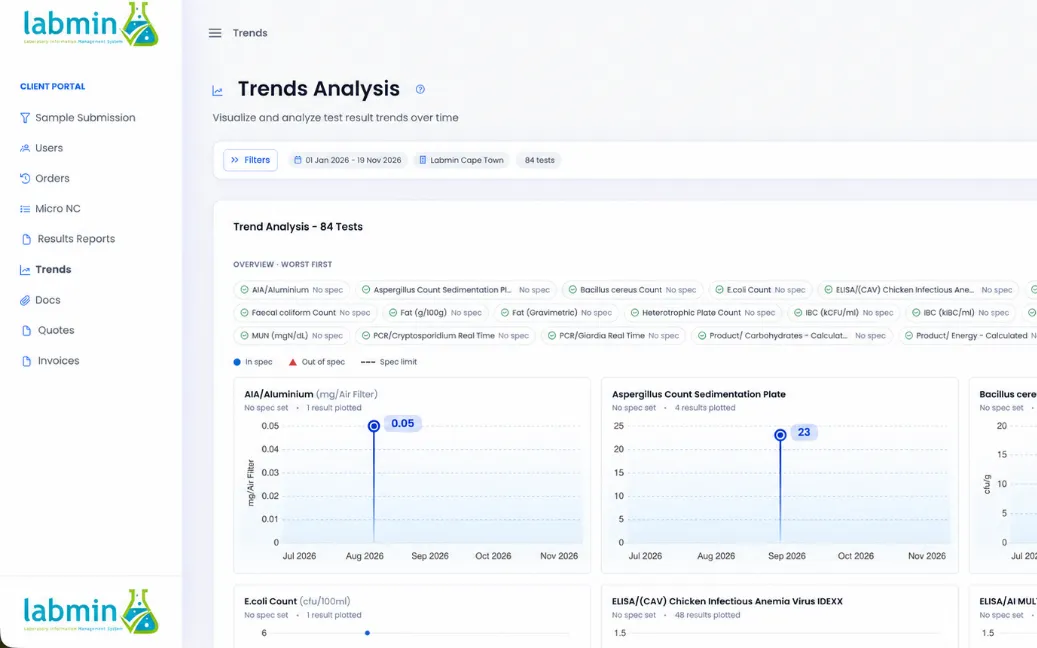
Trends charts released results over time across clients, farms, flocks, houses and tests. Fetch by client, farm and sampling period, then filter by lab, test, flock and bird age. Summary tiles show results, jobs and the share within spec, and dashed lines mark the specification.
- One line per test, producer, farm, flock, house or sample type
- Compare with the previous period
- Saved views, and Excel and PDF reports
Why the VET Portal?
One workspace
Results, interpretations, reports and dispatch in one place.
Faster reviews
Quick Interpret, Save & Next and bulk remarks clear routine work quickly.
Built for practices
Practitioner groups keep the whole team working from the same queue.
Connected to the lab
Live results, re-test conversations and a full email history.
About the VET Portal
What is the VET Portal?
A web portal that connects veterinarians to the laboratory. Vets review released results, record interpretations, follow trends and send signed reports to their clients.
Can the vet sign the report?
Yes. The portal generates a digitally signed Preliminary or Final Veterinary Report as a PDF.
Can a whole practice share the work?
Yes. Practitioner groups keep the whole team working from the same queue.
Can we see trends across farms and flocks?
Yes. Trends charts released results across clients, farms, flocks, houses and tests, with specification lines and comparison to the previous period.
The rest of Labmin LINK
Every view works from the same live LIMS data.
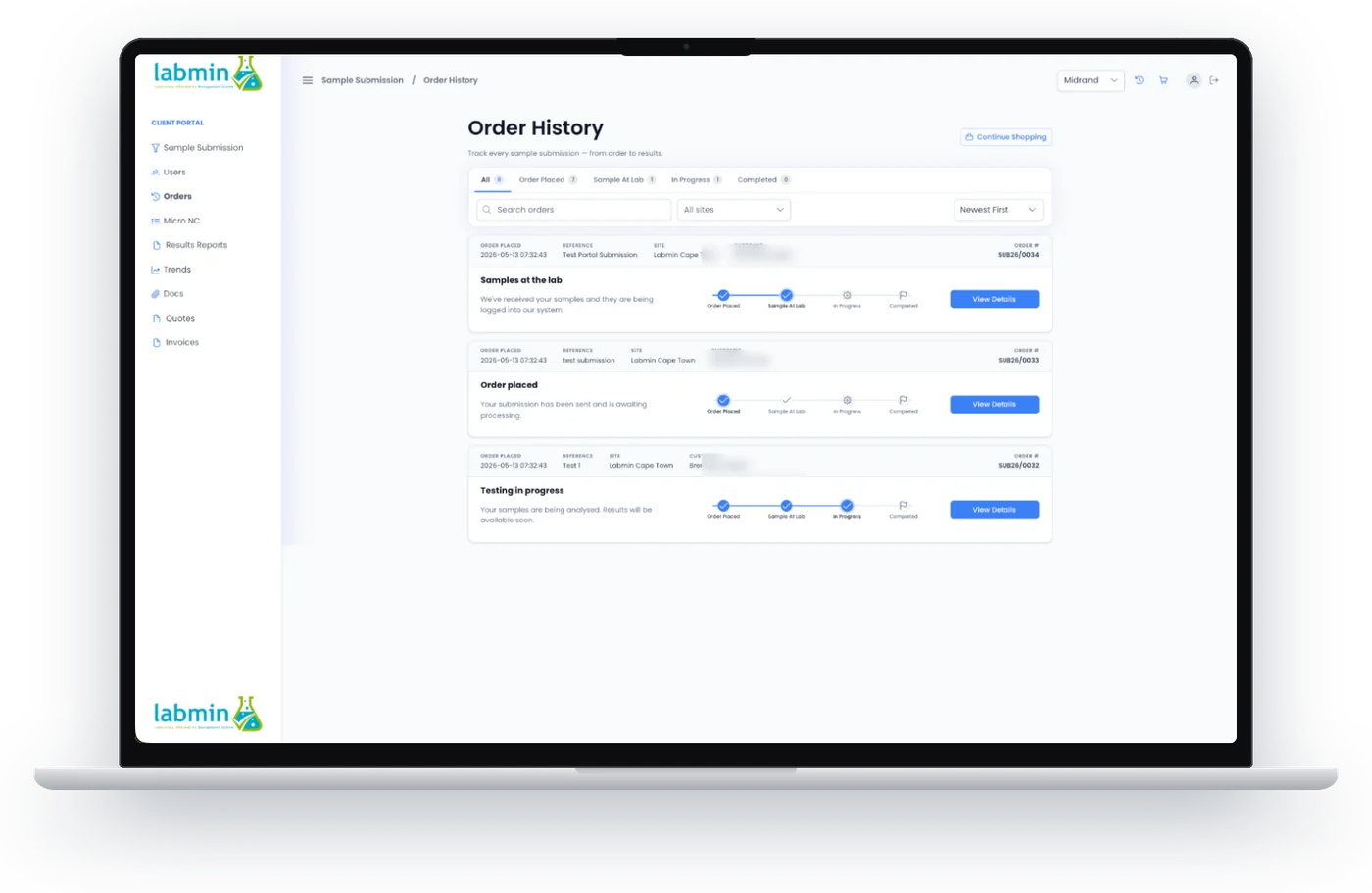
Client Portal
Clients order tests from your catalogue, follow every order, and open approved reports, certificates of analysis, trends, quotes and invoices.
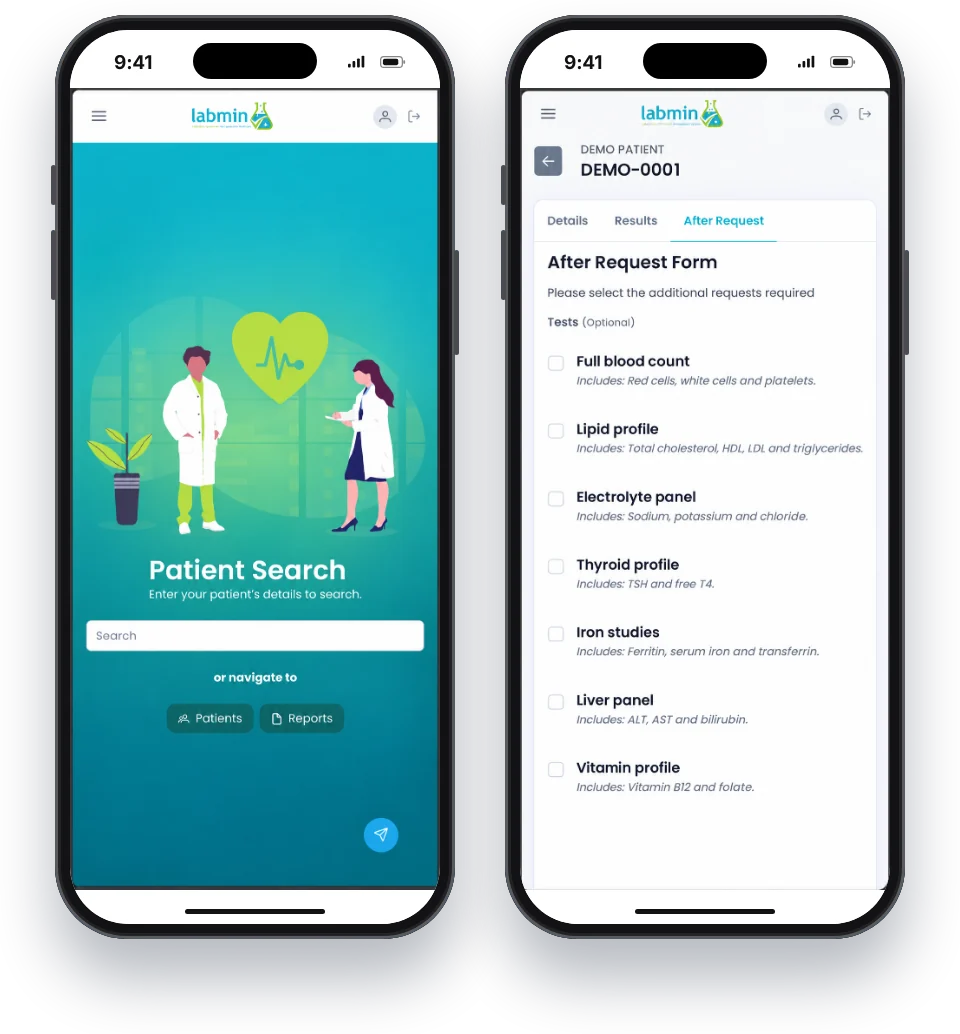
Practitioner Portal
Doctors search for a patient, review their test history and results, and request additional tests on an existing case.

Staff App
Managers watch live job numbers, approvers clear results on the go, and drivers run sample collection and delivery.
See the VET Portal with your own workflow.
We'll walk through it in a demo, connected to Labmin LIMS.
Explore related products
Choose the next part of your workflow.


