Move results from laboratory instruments into Labmin
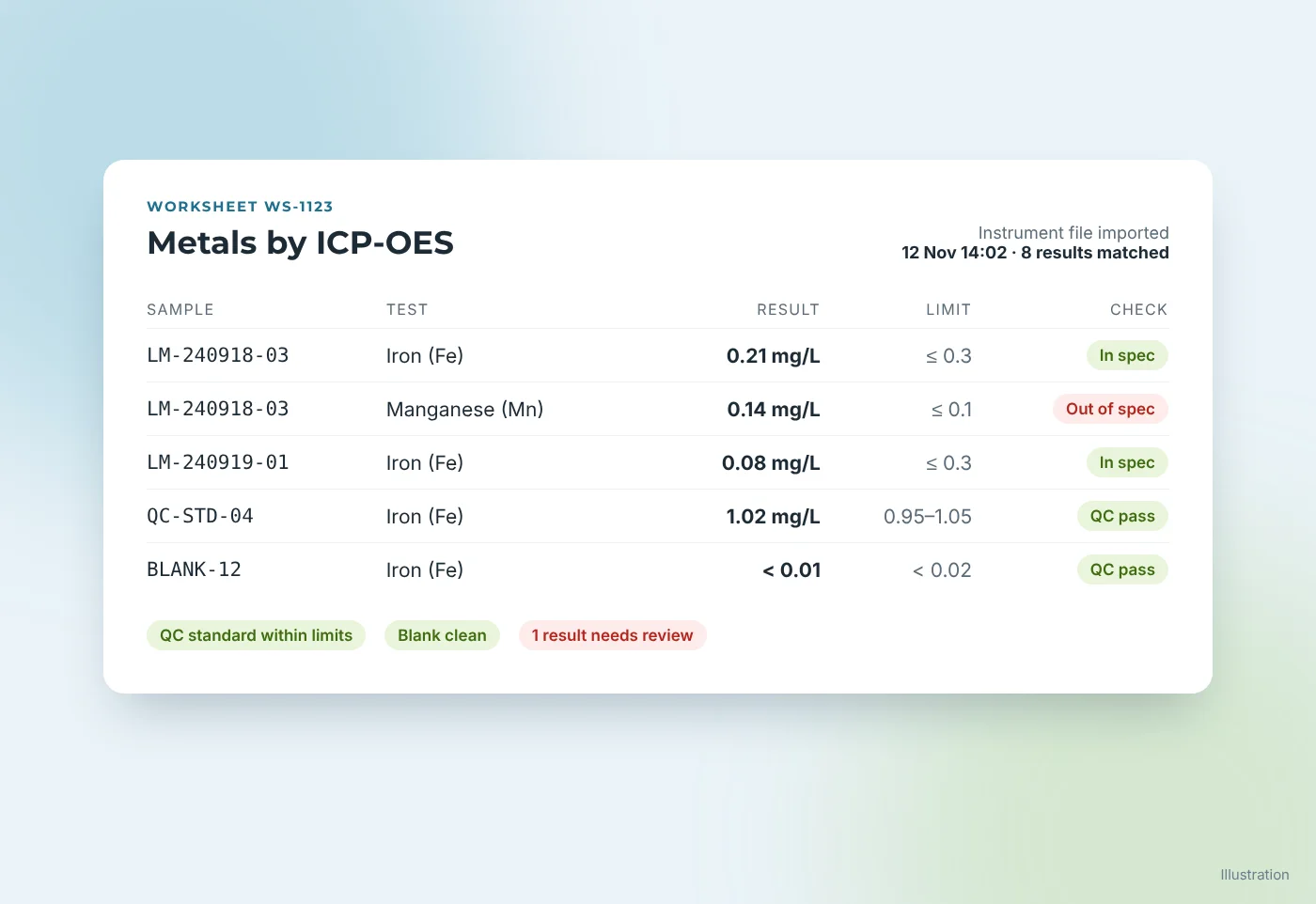
Labmin can receive results directly from laboratory instruments using interfaces such as RS-232, TCP/IP, ASTM, HL7, APIs and file-based workflows.
09:41:02 PORT OPEN ICP-OES-04
09:41:06 SAMPLE MATCH LM-240918
09:41:07 RESULT FE = 64.210 %
09:41:07 LIMIT CHECK PASS
09:41:08 ROUTED TECHNICAL REVIEW
See a result travel from the instrument to Labmin.
Choose a connection type. Watch how the result leaves the instrument, how Labmin reads it, and the checks it passes before anyone reviews it. The messages are illustrative.
- waiting for data…
- Sample ID matches a registered sample
- Test and unit mapped (Fe, %)
- Result compared with the limit 55.0–68.0 %
- Logged in the audit trail
Every connection is assessed per instrument model, software version and protocol. A result that can't be matched stays visible for review; it is never attached to a guessed sample.
No silent failures. No mystery results.
Every result needs a sample identity, a known method, compatible units and a visible exception path before it can become part of the laboratory record.
Sample: LM-240918
Test: pH
Result: 7.2
Unit: pH
Match the sample + methodReady for technical review
Identity matched. Source retained. Approval remains a separate decision.
Reduce manual transcription without removing control
Instrument integration can shorten result capture, reduce keying mistakes and retain the source context needed for validation.

Work with the protocol the instrument actually provides
Laboratory instruments vary widely by age, vendor and discipline. Integration design begins by confirming the available output, identifier strategy and error-handling behaviour.
Serial & network
RS-232 and TCP/IP connections can carry instrument messages directly or through an interface service.
Standards & APIs
ASTM, HL7 and REST APIs provide structured exchange where supported by the vendor and workflow.
File exchange
CSV, XML, Excel and watched-folder workflows remain useful for instruments that export controlled result files.
Integration begins with a protocol assessment
We assess the instrument model, software version, protocol documentation, example messages, connection method, direction of travel, matching key and validation rules before committing to an interface.
Instrument model
Manufacturer, model, software version and connection method.
Sample identifier
The matching key that links an instrument result to the right sample.
Example message
A representative output with test names, values, units and flags.
Exception rules
What should happen when a sample, test or value can’t be accepted.
Bring the instrument.
We’ll map the route.
Agree the complete interface.Model · Method · Message · Match
Instrument model & software
Bring the manufacturer, model and software version. Interfaces can change between versions.
Available protocol or export
Share protocol documentation or a representative CSV, XML, ASTM, HL7 or API message.
Sample identifier strategy
Show how the instrument identifies a sample and how that identifier maps to the LIMS record.
Direction of data travel
Confirm whether the lab needs result capture only, or worklists sent back to the instrument.
Validation & exception rules
Agree what happens to unknown samples, unexpected units, duplicates and flagged results.
Test messages & acceptance
Use valid and invalid examples to verify matching, review, error handling and the audit record.